Author: Adeel Masood

  • How to Optimize Your Google Ads Campaign for Better ROI

    In the world of digital advertising, Google Ads stands out as a powerful tool for driving traffic and generating leads. But with competition fierce and costs rising, getting the best return on investment (ROI) from your campaigns requires more than just setting up ads and hoping for the best. To truly excel, you need to refine your strategy with a few advanced techniques. Here’s how to elevate your Google Ads game and achieve better ROI.

    1. Master the Art of Negative Keywords

    Negative keywords are like your campaign’s filter—keeping irrelevant traffic out and ensuring that your budget is spent on genuinely interested prospects. By regularly updating and refining your list of negative keywords, you can avoid wasting ad spend on searches that are unlikely to convert.

    How to Implement:

    • Start with Research: Use Google’s Keyword Planner or other tools to identify terms that are similar but not relevant to your business.
    • Analyze Search Queries: Regularly review the search terms report in your Google Ads account. Identify terms that are drawing irrelevant traffic and add them as negative keywords.
    • Keep Updating: Negative keyword management isn’t a one-time task. Continuously refine your list based on new insights and trends.

    2. Split Test Your Ad Copy

    Testing different versions of your ad copy—also known as split testing or A/B testing—is crucial for determining which messages resonate best with your audience. This practice helps you find the most effective headlines, descriptions, and calls-to-action, ultimately improving your ad performance and ROI.

    How to Implement:

    • Create Variations: Develop at least two versions of your ad copy, focusing on different elements such as headlines, offers, or calls-to-action.
    • Run Tests Simultaneously: Ensure that your test ads are running in similar conditions to get accurate results. Avoid running tests during periods of unusual activity.
    • Analyze Results: Use Google Ads’ built-in reporting tools to compare the performance of your ad variations. Look for metrics like click-through rate (CTR), conversion rate, and cost per conversion.

    3. Optimize Your Landing Pages

    Your landing page is where the magic happens—where visitors either convert or bounce. An optimized landing page ensures that the experience aligns with what users expect after clicking on your ad, increasing the chances of conversion and improving ROI.

    How to Implement:

    • Align Messaging: Ensure that the content on your landing page matches the promise made in your ad copy. Consistency in messaging builds trust and reduces bounce rates.
    • Improve Load Times: A slow-loading landing page can deter potential customers. Use tools like Google PageSpeed Insights to identify and fix issues.
    • Streamline User Experience: Simplify the layout and make the conversion process as easy as possible. Clear calls-to-action, easy navigation, and minimal form fields can significantly boost conversion rates.
    • Use Conversion Tracking: Implement Google Analytics and Google Tag Manager to track user interactions and gather data on how well your landing page is performing.

    4. Utilize Ad Extensions

    Ad extensions provide additional information and offer more reasons for users to click on your ads. They can enhance your ad’s visibility and improve its performance by offering extra value to potential customers.

    How to Implement:

    • Add Sitelink Extensions: Include additional links to specific pages on your site. This helps users navigate directly to the content they’re interested in.
    • Use Call Extensions: Display your phone number directly in your ad. This is especially useful for local businesses and can drive direct calls.
    • Implement Structured Snippets: Highlight specific aspects of your products or services to give users more insight before they click.

    5. Analyze and Adjust Bids with Precision

    Optimizing bids ensures that you’re not overspending on keywords while still being competitive. Smart bidding strategies and bid adjustments can help you make the most of your budget.

    How to Implement:

    • Use Bid Adjustments: Adjust bids based on factors like device, location, time of day, and audience demographics. For example, you might increase bids for high-performing keywords or adjust them based on user location.
    • Employ Smart Bidding Strategies: Leverage Google’s automated bidding strategies, such as Target CPA (Cost Per Acquisition) or ROAS (Return on Ad Spend), to optimize bids in real-time based on your goals.
    • Monitor Performance: Regularly review your bidding strategies and adjust them based on performance data. Look for trends and make data-driven decisions to refine your approach.

    Conclusion

    Optimizing your Google Ads campaigns for better ROI is a continuous process of testing, analyzing, and adjusting. By incorporating advanced techniques like negative keyword management, split testing ad copy, and optimizing landing pages, you can significantly improve your campaign performance. Remember, the key to success in Google Ads lies in understanding your audience, staying agile with your strategies, and always striving for greater efficiency in your ad spend. With these advanced tips, you’ll be well on your way to maximizing your ROI and achieving your marketing goals.


  • Essential WordPress Plugins for Small Business Websites in 2024

    In the fast-paced world of digital marketing, having a well-functioning, secure, and optimized website is crucial for any small business. WordPress, being one of the most popular content management systems, offers a vast array of plugins to help you enhance your website’s functionality. As we move through 2024, it’s important to stay updated with the latest tools that can elevate your website’s performance. Here’s a roundup of essential WordPress plugins that every small business website should consider using this year.

    1. Yoast SEO: Master Your Search Engine Optimization

    Why You Need It: Search engine optimization (SEO) is key to driving organic traffic to your website. Yoast SEO is one of the most popular and comprehensive SEO plugins available. It helps you optimize your content with keywords, meta descriptions, and readability checks, ensuring that your website ranks well in search engine results.

    Key Features:

    • Real-time content analysis
    • XML sitemap creation
    • Integration with social media
    • Breadcrumbs for better navigation

    Ideal For: Small business owners looking to improve their website’s visibility and drive more traffic through search engines.

    2. Wordfence Security: Protect Your Website

    Why You Need It: Security is a top priority for any website. Wordfence Security provides robust protection against malware, hackers, and other online threats. It offers real-time threat defense, firewall protection, and detailed security reporting.

    Key Features:

    • Real-time firewall and malware protection
    • Login attempt monitoring
    • Security scans and alerts
    • IP blocking and country blocking

    Ideal For: Business owners who want to ensure their website is secure and protected from potential cyber threats.

    3. WP Rocket: Boost Your Site’s Speed

    Why You Need It: Website speed plays a crucial role in user experience and search engine rankings. WP Rocket is a powerful caching plugin that helps improve your website’s loading time by optimizing your site’s cache, images, and other elements.

    Key Features:

    • Page caching for faster loading times
    • Lazy loading for images and videos
    • Database optimization
    • CDN integration

    Ideal For: Businesses that want to enhance their website’s performance and provide a seamless browsing experience for visitors.

    4. Elementor: Create Stunning Pages Easily

    Why You Need It: Designing and customizing your website’s pages can be daunting without a user-friendly interface. Elementor is a drag-and-drop page builder that allows you to create beautiful and responsive designs without needing any coding skills.

    Key Features:

    • Drag-and-drop editor
    • Pre-designed templates and blocks
    • Mobile responsive design options
    • Advanced styling and design capabilities

    Ideal For: Small business owners who want to create visually appealing pages and customize their site’s design with ease.

    5. Akismet Anti-Spam: Keep Your Comments Spam-Free

    Why You Need It: Spam comments can clutter your website and negatively impact user experience. Akismet Anti-Spam automatically filters out spammy comments, ensuring that only genuine interactions are published on your site.

    Key Features:

    • Automatic spam detection and filtering
    • Detailed spam statistics
    • Integration with comment forms

    Ideal For: Businesses looking to maintain a clean and professional commenting section without manually moderating every submission.

    6. UpdraftPlus: Backup Your Website

    Why You Need It: Regular backups are essential to safeguard your website’s data. UpdraftPlus is a reliable backup plugin that allows you to create and restore backups of your site effortlessly. It supports various storage options, including cloud services.

    Key Features:

    • Scheduled backups
    • Cloud storage integration (Google Drive, Dropbox, etc.)
    • One-click restoration
    • Backup encryption

    Ideal For: Any business owner who wants to ensure their website data is secure and can be quickly restored in case of an issue.

    7. MonsterInsights: Understand Your Website’s Analytics

    Why You Need It: Understanding your website’s traffic and user behavior is crucial for making informed business decisions. MonsterInsights integrates Google Analytics with your WordPress site, providing detailed insights into your visitors’ interactions.

    Key Features:

    • Google Analytics integration
    • User-friendly reports and dashboards
    • Real-time statistics
    • Enhanced eCommerce tracking

    Ideal For: Small business owners who want to gain actionable insights into their website’s performance and user behavior.

    8. Sucuri Security: Enhance Your Website’s Security

    Why You Need It: In addition to Wordfence, Sucuri Security provides an extra layer of protection with its website firewall and monitoring features. It helps protect against hacks, malware, and other security threats.

    Key Features:

    • Website firewall protection
    • Security monitoring and alerts
    • Malware removal services
    • Post-hack security actions

    Ideal For: Businesses seeking comprehensive security measures to protect their website from potential vulnerabilities.

    Final Thoughts

    Choosing the right plugins can significantly impact your website’s functionality, security, and performance. By integrating these essential WordPress plugins, you’ll be well-equipped to optimize your site, protect it from threats, and provide an excellent user experience. As always, keep your plugins updated and review their performance regularly to ensure they continue to meet your business needs.

  • WordPress Website Design Tips: How to Create a User-Friendly Site

    In the digital age, your website often serves as the first impression of your business or personal brand. A well-designed WordPress site can make a world of difference in engaging visitors and achieving your goals. But what does it take to create a truly user-friendly site? Here are some actionable tips to help you design a WordPress website that’s both functional and inviting.

    1. Optimize Navigation for Ease of Use

    Navigation is the backbone of your website. If users can’t find what they’re looking for quickly, they’re likely to leave in frustration.

    • Keep It Simple: Stick to a clean, straightforward menu structure. Limit the number of menu items to avoid overwhelming visitors.
    • Use Descriptive Labels: Ensure that menu items are labeled clearly and accurately. For instance, instead of “Products,” use “Our Services” or “Shop Now” if it’s more specific.
    • Include a Search Bar: A search bar can be a lifesaver for users looking for specific information. Place it prominently, such as in the header or top-right corner of your site.

    2. Create Clear and Compelling Calls-to-Action (CTAs)

    Calls-to-action are crucial for guiding visitors towards taking desired actions, whether it’s making a purchase, signing up for a newsletter, or contacting you.

    • Be Direct and Specific: Use action-oriented language that tells users exactly what to do. Phrases like “Get Started,” “Sign Up Today,” or “Buy Now” are more effective than vague terms.
    • Make CTAs Stand Out: Use contrasting colors and strategic placement to make your CTAs eye-catching. They should be easy to spot without being overly intrusive.
    • Keep It Relevant: Ensure that your CTAs are relevant to the content surrounding them. For example, place a “Learn More” button next to an article summary or a “Contact Us” button on a support page.

    3. Ensure Mobile Responsiveness

    With more users accessing websites on mobile devices than ever before, having a mobile-responsive design is essential.

    • Test Across Devices: Regularly test your site on various devices and screen sizes to ensure it looks and functions well everywhere. Tools like Google’s Mobile-Friendly Test can help.
    • Optimize Images and Content: Large images and heavy content can slow down mobile loading times. Optimize images for quicker loading and consider using responsive design techniques to adjust content dynamically.
    • Check Touchscreen Usability: Make sure buttons and links are easy to tap on mobile devices. They should be large enough and spaced adequately to prevent accidental clicks.

    4. Maintain a Clean and Professional Layout

    A cluttered or overly complex layout can turn visitors away. A clean, professional design helps create a positive user experience and reinforces your brand’s credibility.

    • Use White Space Wisely: White space, or negative space, helps prevent a page from feeling crowded. It makes content easier to read and navigation more intuitive.
    • Stick to a Consistent Color Scheme: Choose a color palette that reflects your brand and use it consistently throughout your site. Avoid using too many colors that can distract or overwhelm visitors.
    • Choose Readable Fonts: Select fonts that are easy to read on both desktop and mobile screens. Stick to a couple of fonts and use them consistently to maintain a cohesive look.

    5. Prioritize Fast Loading Times

    Site speed is crucial for user satisfaction and SEO. A slow-loading site can frustrate visitors and lead to higher bounce rates.

    • Optimize Images and Files: Compress images and use formats that balance quality and file size. Minimize the use of large files and unnecessary plugins that can slow down your site.
    • Utilize Caching: Implement caching plugins like WP Super Cache or W3 Total Cache to improve loading times by storing a static version of your pages.
    • Choose a Reliable Hosting Provider: A good hosting provider can significantly impact your site’s performance. Look for providers that offer fast loading speeds and excellent customer support.

    6. Make Content Easily Scannable

    Visitors often skim web content rather than reading every word. Make your content scannable to help users quickly find the information they need.

    • Use Headings and Subheadings: Break content into sections with clear headings and subheadings. This not only helps with readability but also improves SEO.
    • Incorporate Bullet Points and Lists: Bullet points and numbered lists make it easier for users to absorb information at a glance.
    • Highlight Key Information: Use bold or italicized text to emphasize important points, but avoid overusing these features to prevent visual clutter.

    7. Implement User Feedback

    User feedback can provide valuable insights into how your site is performing and where improvements are needed.

    • Use Analytics Tools: Tools like Google Analytics can help you track user behavior and identify areas for improvement. Look for patterns in bounce rates, average session duration, and user flow.
    • Gather Direct Feedback: Implement feedback forms or surveys to gather direct input from your visitors. Use this feedback to make informed design changes that enhance user experience.

    By following these tips, you can create a WordPress website that not only looks great but also provides a seamless and enjoyable experience for your visitors. A well-designed site will help you achieve your goals, whether that’s increasing engagement, boosting conversions, or building a stronger online presence.

  • How to Choose the Right WordPress Theme for Your Small Business Website

    Selecting the perfect WordPress theme for your small business website is more than just picking a pretty design. It’s about finding a theme that aligns with your brand, meets your functionality needs, and supports your business goals. With thousands of themes available, it can be overwhelming to narrow down your choices. Here’s a guide to help you make an informed decision and choose a theme that will elevate your online presence.

    1. Define Your Business Needs

    Before diving into the world of WordPress themes, take a moment to clarify what you need from your website. Consider these questions:

    • What’s the primary purpose of your website? Is it to showcase your portfolio, sell products, or provide information about your services?
    • What features are essential? Do you need e-commerce capabilities, booking forms, or a blog section?

    Understanding your needs will help you identify themes that come with the features and functionalities you require, saving you from having to make extensive modifications later.

    2. Align with Your Brand

    Your website’s theme should reflect your brand’s identity and values. Look for themes that:

    • Match Your Brand’s Aesthetic: Choose a theme that aligns with your brand’s colors, fonts, and overall visual style. Consistency between your website and other brand materials helps build trust and recognition.
    • Support Your Branding Goals: Some themes offer customization options that allow you to incorporate your logo, brand colors, and custom fonts. This flexibility is crucial for maintaining brand consistency.

    3. Prioritize Functionality

    Functionality is key when selecting a WordPress theme. Here’s what to keep in mind:

    • Responsive Design: Ensure the theme is mobile-friendly. With the growing number of mobile users, having a responsive design ensures your site looks great on all devices, from smartphones to tablets.
    • Speed and Performance: A theme that’s well-coded and optimized for performance will load faster, which can improve user experience and SEO.
    • Compatibility with Plugins: Check if the theme is compatible with essential plugins you might need, such as SEO tools, social media integrations, or e-commerce solutions.

    4. Consider SEO and Performance

    An attractive theme is great, but it should also be built with SEO in mind. Here’s what to look for:

    • SEO-Friendly Structure: Themes with clean, well-organized code are more likely to perform better in search engines. Look for themes that follow best practices for SEO.
    • Schema Markup Support: Some themes come with built-in schema markup, which helps search engines understand your content better and can improve your visibility in search results.

    5. Evaluate Support and Updates

    A good theme should come with reliable support and regular updates. Consider these factors:

    • Theme Developer Reputation: Choose themes from reputable developers who offer regular updates and responsive support. Check reviews and ratings to gauge their reliability.
    • Documentation and Tutorials: Comprehensive documentation and tutorials can be a lifesaver, especially if you’re not familiar with WordPress. Ensure the theme includes clear instructions for setup and customization.

    6. Test for Usability

    Before making a final decision, test the theme to ensure it meets your expectations:

    • Demo Version: Most theme providers offer a demo version that allows you to see how the theme looks and functions in real-time. Use this opportunity to explore its features and customization options.
    • User Experience: Navigate through the demo to assess the ease of use. A user-friendly theme will make it easier for visitors to find what they’re looking for and for you to manage your content.

    7. Check for Customization Options

    While many themes offer out-of-the-box designs, you’ll likely need to make some adjustments to fit your specific needs. Look for themes that:

    • Include Customization Tools: Themes with built-in customization options or drag-and-drop builders make it easier to tweak your site without needing extensive coding knowledge.
    • Offer Layout Variations: Themes with multiple layout options allow you to experiment with different designs and find the one that best suits your content and goals.

    Conclusion

    Choosing the right WordPress theme for your small business website is a crucial step in establishing your online presence. By defining your needs, aligning with your brand, prioritizing functionality, and considering SEO, performance, and support, you can select a theme that not only looks great but also supports your business objectives. Take your time, explore your options, and don’t hesitate to test out different themes until you find the perfect fit. With the right theme, your website will be a powerful tool for attracting and engaging your audience, helping your small business thrive online.

  • 7 Simple Morning Routine That Calms an Overactive Mind

    Meta Description

    Wake up with racing thoughts? Discover a short, calm morning routine made for overthinkers — no pressure, no hype, just real mental relief.

    Focus keyword

    Morning Routine

    Introduction

    You open your eyes, and your brain’s already sprinting.

    What time is it?
    Did I forget to reply to that email?
    What if today falls apart before it even begins?

    It’s not even 7 AM, and you feel like you’re already behind.

    You’ve tried morning routines —journals, lemon water, even meditation apps. But instead of calming your mind, they felt like another performance you were failing before breakfast.

    If this is you, know this: you’re not broken, and you’re not alone.

    Your brain isn’t “bad at mornings.” It’s wired to run. High-achieving overthinkers like you start with adrenaline, not ease. But there is a better way—a morning routine that meets your brain where it is instead of forcing quiet.

    I used to wake up tangled in guilt, regret, possibility—scrolling straight into other people’s lives before mine had even begun. Then I discovered not a strict routine, but a calming rhythm that allowed me to greet, not punish, my mind. And suddenly, mornings shifted.

    In this article, you’ll discover a four‑step grounding rhythm built for overthinking minds—no pressure, no hype, just simple structure to help you feel a little more in control. You’ll also learn why typical routines fail you and how to meet your mind gently. By the end, you’ll have a path to actually feel calmer before your first email arrives.

    1. Why Your Mind Races in the Morning

    Overthinkers in the morning routine often wake up tangled in thoughts because of two biological realities:

    • Cortisol surge: Your stress hormone naturally peaks shortly after waking. That’s your brain’s way of getting you moving for the day ahead. If you’re prone to worry, that cortisol can fuel morning routine before your feet even touch the floor.
    • Default mode network (DMN): During rest and the first moments after waking, your brain connects memories, future scenarios, and self‑criticism—producing the familiar spiral of “what if?” and “what now?”

    Your brain isn’t broken—it’s doing exactly what it’s wired to do. But most routines ignore that wiring. They force stillness on a mind that’s biologically running.

    What you need instead is rhythm that shapes cortisol and gently shifts DMN activity into more grounded awareness—not performance, not forcing, just meeting your system with support.

    2. Why Most Morning Advice Doesn’t Work for You

    Standard advice usually focuses on productivity-first morning routines: make your bed, journal for gratitude, move your body, meditate, and then eat breakfast—often in a pre‑set order and time frame.

    That works if your mind naturally settles. But for overthinkers, that checklist becomes another anxiety stick:

    • You fall behind schedule → guilt.
    • You can’t meditate because your thoughts are loud → shame.
    • You feel like you’ve already failed before getting out of bed.

    /blog/calm-morning-routine

    That’s not your fault. Routines built to impress your inner critic backfire on minds that already criticise too much. You don’t need more expectation or structure—you need less friction and more calm.

    3. The 4‑Step Grounding Morning Rhythm

    This is a brief, four‑part rhythm designed to meet your brain while it’s still active—because that’s where most racing thoughts in the morning routine begin.

    1. Focus Shift (2 minutes)

    • How: First thing, take three deep chest breaths. Then identify one thing your brain is rehearsing—work, social, fear, regret. Label it out loud.
    • Why: Labelling reduces the power of that thought. Naming it helps move cortisol from chaos to clarity.

    2. Gentle Mind Break (3–5 minutes)

    • How: Choose one low‑effort ritual like stretching ironically, sipping warm water, or stepping outside—even if just to breathe air for a moment. Sink into the sensation.
    • Why: You’re shifting from internal chatter to external sensation, which calms your nervous system and quiets DMN layering.

    3. Short Clarity Check (3 minutes)

    • How: Ask two questions in a notebook or via voice note:
      1. What’s the one micro‑task that would help me feel more grounded today?
      2. What’s something I’m grateful to be doing?
    • Why: You catch the racing mind and turn it toward intention and gratitude—without forcing positivity.

    4. Micro‑move (2 minutes)

    • How: A small movement—stretch, shake out shoulders, quick walk.
    • Why: Movement helps shift cortisol from pumping your muscles into a more regulated baseline. It doesn’t need to be exercise—just a simple physical reset.

    Total time: Around 8–12 minutes. Short. Focused. A simple morning routine for overthinkers that’s light but grounding—not forced.

    4. How to Make It Work (Even on Messy Mornings)

    Keep It Ritual‑Light

    Minimal friction is key. This calming morning routine doesn’t need planner prompts or meditation apps. Follow a flexible order. If you hit all four parts, it still counts.

    Adapt to Your Preferences

    • Hate warm water? Swap for tea, fresh air, or just a few minutes of stillness.
    • Don’t like talking aloud? Whisper or think the labels mentally.
      This routine is meant to work with your brain, not against it.

    Skip the “Quiet the Mind” Myth

    You won’t stop thoughts. That’s not the goal. The goal is to create space between your thoughts and your actions. You’re not trying to silence your brain—you’re learning to soften its hold.

    Incentivise Consistency

    Leave a visual nudge: a Post-it, a calendar mark, a lock screen that says “Focus → Feel → Clarify → Move.” Celebrate any day it happens—even halfway.

    5. What If My Brain Still Spirals?

    Sometimes the spiral burns through all 10 minutes. That’s okay. That doesn’t mean you failed.

    Dofollow link

    morning routine for anxiety

    What to do:

    • Acknowledge the spiral.
    • Add a breakout step:
      • a five-minute walk,
      • journaling your worry,
      • or texting a friend who gets it.

    Not to “fix” your brain—just to shift energy from rumination to movement.

    The point:

    You’re not chasing a perfect morning. You’re creating a grounded one, even inside a storm.

    6. Case Example: An Overthinker’s Morning

    Here’s a story, adapted from a real coaching conversation:

    Sarah, a freelance designer, wakes up at 6:45 AM. Her brain jumps into client feedback and a tough call later. She used to scroll LinkedIn while brushing her teeth, fuelling insecurity. Then she’d skip breakfast and launch into her inbox, frazzled and reactive.

    Now? She breathes, names the spiral: “email dread.” Then she sits with a cup of tea for four minutes outside. She writes down:

    • One task: send one reassuring email.
    • One gratitude: working on projects that challenge me.

    A shoulder roll, a deep breath—and her nervous system starts to reset.

    She’s not magically calm. But she’s clear. And that’s enough to step into the day intentionally, not anxiously.

    7. Final Thought: You Don’t Need to Win the Morning Routine

    Forget “win the morning, win the day.” You don’t need to win anything. You just need to land softly.

    This isn’t about achievement—it’s about mental self-leadership. It’s about letting your anxious morning thoughts have a place to land—without letting them drive the day.

    You might forget the rhythm. You might spiral again. That’s okay. You can come back to it, again and again.

    Because the best morning routine for anxiety is the one you’ll actually do—and the one that lets you meet yourself with kindness, not criticism.

  • How to Optimize Your Google Business Profile for Better Local SEO

    Imagine this: someone in your town is searching for a product or service that you offer. They pull out their phone, type a few words into Google, and bam—your business pops up right there at the top of the search results. Sounds like a dream, right? Well, it doesn’t have to be. With the right optimizations, your Google Business Profile can help turn that dream into reality, bringing in more customers and growing your local presence.

    A Google Business Profile (formerly known as Google My Business) is more than just an online listing. It’s a powerful tool that can help you stand out in local search results, attract more customers, and even drive foot traffic to your physical location. The best part? It’s completely free. All you need to invest is a bit of time to set it up and keep it updated. Let’s walk through how to optimize your Google Business Profile and make the most out of this valuable resource.

    1. Claim and Verify Your Profile

    The First Step: If you haven’t already, the first step is to claim your Google Business Profile. This is essential because only verified businesses can manage their information on Google.

    How to Do It:

    • Search for Your Business: Start by searching for your business name on Google. If your business already appears, you’ll see an option to claim it. If it doesn’t, you can create a new profile from scratch.
    • Follow the Verification Process: Google will ask you to verify your business, usually by sending a postcard with a verification code to your business address. This process ensures that only legitimate business owners can claim and manage their listings.

    2. Complete Every Section of Your Profile

    Why It Matters: A complete profile not only helps Google understand your business better but also provides potential customers with all the information they need. The more information you provide, the more trustworthy and professional your business appears.

    What to Include:

    • Business Name: Use your exact business name as it appears in the real world. Avoid adding extra keywords, as this can violate Google’s guidelines.
    • Address and Phone Number: Make sure your address and phone number are accurate and match what’s listed on your website and other directories. Consistency is key.
    • Business Hours: Keep your business hours updated, especially during holidays or special events. Nothing frustrates customers more than showing up at a closed door.
    • Website and Appointment Links: Include a link to your website and, if applicable, a link where customers can book appointments or make reservations.
    • Business Description: Write a brief, engaging description of what your business does and what sets it apart. Use relevant keywords naturally, but avoid keyword stuffing.

    3. Choose the Right Categories and Attributes

    Why It Matters: Categories and attributes help Google understand what your business offers, making it easier to match you with relevant local searches.

    How to Choose:

    • Primary Category: Choose a primary category that best represents your business. For example, if you own a pizzeria, your primary category might be “Pizza Restaurant.”
    • Additional Categories: If your business fits into more than one category, you can select additional ones. Just make sure they are relevant. For example, a bakery that also offers coffee might select both “Bakery” and “Coffee Shop.”
    • Attributes: Attributes are additional details about your business, like “Free Wi-Fi,” “Pet-Friendly,” or “Wheelchair Accessible.” Select attributes that are relevant to your business to provide customers with more useful information.

    4. Upload High-Quality Photos

    Why It Matters: Photos make your profile more appealing and can influence customers’ decisions. According to Google, businesses with photos receive 42% more requests for directions and 35% more click-throughs to their websites than those without photos.

    What to Include:

    • Profile and Cover Photos: Choose a clear, professional profile photo and a cover photo that represents your business’s vibe or what you offer.
    • Interior and Exterior Photos: Show the inside and outside of your business. This helps customers recognize your location when they visit.
    • Product and Service Photos: Showcase your products, services, and even your team. People love seeing the faces behind the business.
    • Customer-Generated Photos: Encourage customers to upload their photos. User-generated content can be very persuasive and add authenticity to your profile.

    5. Encourage and Respond to Reviews

    Why It Matters: Reviews are one of the most influential aspects of your Google Business Profile. They impact your local search ranking and can greatly influence customer perceptions.

    How to Manage Reviews:

    • Encourage Customers to Leave Reviews: After a successful transaction, ask your happy customers to leave a review. You can do this in person, through email, or by sharing a review link.
    • Respond to Reviews: Take the time to respond to reviews, both positive and negative. Thank customers for their feedback, address any concerns, and show that you care about their experience. This interaction builds trust and encourages more people to leave reviews.
    • Address Negative Reviews Professionally: No business is immune to negative reviews. When they happen, respond calmly and professionally. Apologize if necessary, and offer to resolve the issue. Your response shows potential customers how you handle complaints.

    6. Use Posts to Share Updates and Offers

    Why It Matters: Google Business Profile posts are like mini-ads that appear in your profile. They are a great way to keep your customers updated on what’s happening with your business and promote special offers or events.

    Types of Posts You Can Create:

    • What’s New: Share news, updates, or announcements about your business.
    • Events: Promote upcoming events, whether it’s a sale, a grand opening, or a special occasion.
    • Offers: Highlight special offers, discounts, or promotions to attract more customers.
    • Products: Showcase new or popular products with high-quality photos and descriptions.

    7. Use Messaging to Connect Directly with Customers

    Why It Matters: Google Business Profile allows customers to send messages directly to your business. This feature provides a direct line of communication, helping you answer questions and engage with potential customers quickly.

    How to Enable and Use Messaging:

    • Turn on Messaging: In your Google Business Profile dashboard, turn on the messaging feature. Make sure you have someone available to respond promptly to customer inquiries.
    • Set Up Automated Responses: You can set up automated responses to acknowledge messages and let customers know when they can expect a reply.

    Conclusion: Make Your Google Business Profile Work for You

    Optimizing your Google Business Profile is one of the most effective ways to improve your Local SEO and attract more customers. It’s not just about filling out a form—it’s about creating a vibrant, engaging representation of your business online. By keeping your information accurate, engaging with customers through reviews and messages, and regularly updating your profile with new photos and posts, you’ll create a compelling online presence that draws in local customers.

    Remember, your Google Business Profile is often the first impression people have of your business. Make it count! Invest the time to optimize it, and you’ll see the benefits in increased visibility, customer engagement, and business growth.

  • How to Control Overthinking: 6 Habits That Will Quiet Your Mind

    SEO Meta Description:

    Struggling with overthinking? Learn simple, effective ways to quiet your mind, reduce stress, and stop getting stuck in your thoughts.

    Focus Keyword:

    (over thinking)

    Outbound Link (with do follow attribute):

    Source: https://yourdomain.com/blog/stop-overthinking-overthinking

    Featured Image (Alt Text: “over thinking”)

    Stop me if this sounds familiar:
    You’re lying in bed replaying a conversation from earlier. You’re second-guessing your decisions. You can’t stop imagining worst-case scenarios — and before you know it, your whole night’s gone in a blur of mental noise.

    If that’s you, you’re not alone. But here’s the truth most people never tell you:
    Overthinking isn’t your personality. It’s a mental habit — and like any habit, it can be broken.

    In this guide, you’ll learn exactly how to control overthinking, using six practical tools that help you interrupt the loop, calm your mind, and finally take control.

    How to Control Overthinking: Why It’s a Habit, Not a Trait

    Let’s start by busting the biggest myth:
    You weren’t born an overthinker. Somewhere along the line, your brain learned that dwelling, spiralling, and over-analysing felt like control. But it’s not. It’s mental exhaustion disguised as responsibility.

    Here’s what’s happening:

    Overthinking is a neural loop — a repeated pattern of thought that your brain runs automatically. Like biting your nails or checking your phone, it becomes your brain’s default setting. But just like those habits, you can rewire it.

    6 Practical Ways to Control Overthinking

    These six habits are simple, doable, and backed by neuroscience and real-world success stories.

    1. Label the Pattern When You Start Overthinking

    The first step in how to control overthinking is recognising when you’re in it.
    Say out loud (or in your head):

    This stops the auto-pilot and puts you in observer mode. Your brain can’t do two things at once — so when you name the loop, you disrupt it.

    Quick tool
    Try using a sticky note on your mirror or desktop that reads:

    “Is this a fact, or am I overthinking again?”

    2. Interrupt the Thought Spiral Early

    You need to give your brain something else to focus on. Not something complex — just something different.

    Here are some micro-disruptors:

    • Splash cold water on your face
    • Change rooms
    • Take 10 deep breaths while counting backwards
    • Text someone a random compliment

    These small shifts rewire your neural pathway by snapping your brain out of its “loop mode.”

    3. Externalise Overthinking Through Journaling or Talking

    When thoughts stay in your head, they grow.
    Write them down, or say them out loud — even if it’s just to a voice note on your phone.

    Once a thought is externalised, your brain sees it differently. It’s now a thing you can evaluate, not something floating around making you feel unsafe.

    Tip: Don’t aim to “journal well.” Just brain-dump everything. The messier, the better.

    4. Time-Box Your Overthinking to Regain Control

    Overthinking thrives on unlimited time. So give it a deadline.

    Set a timer for 10 minutes.
    Say:

    “I’m allowed to overthink for the next 10 minutes. After that, I stop.”

    Most of the time, you’ll stop way before the timer goes off. And if you don’t? That’s fine too — because now you’re in control of when it starts and ends.

    5. Shift Back to the Present Moment

    Overthinking lives in the past and future. But your power is always in the now.

    This isn’t just a mindfulness gimmick — it physically reorients your nervous system into safety and presence.

    6. Create a Reset Ritual to Control Overthinking Fast

    When your brain gets stuck, it needs a ritual to reset. This could be as simple as:

    • A walk around the block
    • A playlist that always lifts your mood
    • A 2-minute stretching sequence
    • Making tea and washing your hands slowly

    The point is not what you do — it’s that you teach your brain that there’s a way out of the spiral.

    How to Control Overthinking for Good: Think in Habits, Not Hacks

    Here’s where most people go wrong:
    They try one strategy, it works for a day, then life gets chaotic and the spiral returns.

    The key isn’t doing all six things every day. It’s building a habit of interrupting your loop — one small shift at a time.

    Start small:

    • Pick just one tool from this blog.
    • Use it every day for a week.
    • Then stack another one on top.

    That’s how you build a brain that’s calm, clear, and no longer ruled by rumination.

    Final Thoughts on How to Control Overthinking

    You’re not broken.
    You’re just in a habit loop that’s loud, exhausting, and invisible to most people.

    But now? You see it. You know its tricks. And more importantly — you know how to break it.

    It’s not about shutting down your brain. It’s about taking control of the thoughts that no longer serve you.

  • The Most Ignored Factor in Local SEO: Matching Search Intent After the Click

    The Most Ignored Factor in Local SEO: Matching Search Intent After the Click

    Most local businesses think local SEO is all about rankings.

    They spend time asking for reviews, adding keywords to their website, posting updates on their Google Business Profile, and trying to outrank competitors.

    While these activities are important, they often overlook the one thing that determines whether website visitors become paying customers.

    What happens after the click?

    The Real Goal of Local SEO

    Many business owners believe the goal of SEO is simple: get more traffic.

    But traffic alone doesn’t pay the bills.

    Imagine an emergency electrician ranking first on Google. A customer clicks the website because their power has gone out.

    Instead of seeing an emergency phone number, response times, and reassurance that help is available, they land on a generic homepage saying:

    “Welcome to XYZ Electrical Services. We have been serving our community since 1998…”

    The visitor doesn’t want a history lesson.

    They want their problem solved.

    Within seconds, they hit the back button and choose a competitor.

    The ranking was achieved.

    The customer was lost.

    Understanding Search Intent

    Search intent is the reason behind a search query.

    People search because they want something specific. The words they type reveal their expectations.

    Consider these examples:

    “Emergency electrician near me”

    The searcher wants:

    • Immediate assistance
    • A visible phone number
    • Fast response times
    • Proof that you’re available now

    “EV charger installer cost”

    The searcher wants:

    • Pricing information
    • Package options
    • Examples of previous installations
    • Answers to common questions

    “Best dentist for nervous patients”

    The searcher wants:

    • Reassurance
    • Testimonials
    • Information about comfort options
    • Trust and empathy

    “Plumber open now”

    The searcher wants:

    • Confirmation that you’re open
    • A quick way to contact you
    • Confidence that someone will answer

    Different searches require different experiences.

    Yet many local businesses send every visitor to exactly the same page.

    Why Most Local Businesses Ignore This

    There are several reasons.

    They focus on rankings.

    Traditional SEO discussions revolve around keywords, backlinks, and technical fixes. These matter, but they don’t guarantee enquiries.

    They build websites for themselves.

    Business owners often create websites based on what they want to say rather than what customers need to know.

    They assume everyone is the same.

    A person searching for prices behaves differently from someone facing an emergency.

    They underestimate speed.

    Visitors make decisions quickly. If the information they need isn’t obvious, they leave.

    The Five-Second Rule

    A simple principle can transform your local SEO performance:

    Every high-intent visitor should understand that they’re in the right place within five seconds.

    When someone lands on your page, they should instantly know:

    • You offer exactly what they searched for.
    • You serve their area.
    • How to contact you.
    • Why they should trust you.
    • What action to take next.

    If any of these answers are hidden, confusion increases and conversions decrease.

    What Winning Local Businesses Do Differently

    Businesses that convert well design their pages around customer intent.

    They provide:

    A headline that matches the search

    If someone searched for emergency electrical services, say exactly that.

    Don’t make them guess.

    Visible contact information

    Phone numbers and contact buttons should be impossible to miss.

    Real proof

    Show:

    • Reviews
    • Testimonials
    • Before-and-after photos
    • Case studies
    • Certifications

    Trust reduces hesitation.

    Pricing guidance

    You don’t always need exact prices, but giving visitors an expected range removes uncertainty.

    Frequently asked questions

    Address concerns before customers ask them.

    One clear call to action

    Avoid overwhelming visitors with multiple choices.

    Tell them exactly what to do next.

    Why This Matters More Than Ever

    Search engines are becoming increasingly sophisticated.

    Google’s goal is not simply to rank websites with the most keywords.

    Its goal is to satisfy users.

    When visitors quickly find what they need, engage with your content, and complete actions, it sends positive signals that your website is providing value.

    Businesses that prioritise customer experience often outperform competitors with stronger traditional SEO profiles.

    How to Audit Your Own Website

    Open your website and pretend you’re a customer.

    Ask yourself:

    • Does this page immediately answer the searcher’s question?
    • Is the next step obvious?
    • Can I find contact details within seconds?
    • Is there proof that this business can be trusted?
    • Would I feel confident enough to make contact?

    If the answer to any of these questions is no, there’s room for improvement.

    The Future of Local SEO

    The businesses that win locally won’t necessarily be those with the biggest budgets.

    They’ll be the businesses that understand people.

    The ones that recognise that ranking is only the beginning.

    The ones that remove friction.

    The ones that answer questions quickly.

    The ones that make taking action easy.

    Because local SEO isn’t really about traffic.

    It’s about helping the right people solve the right problems at the right time.

    And when you do that consistently, rankings become more valuable, visitors become customers, and customers become advocates for your business.

    Final Thoughts

    If you’re investing in local SEO, don’t stop at getting the click.

    Optimise what happens afterwards.

    Match the visitor’s intent.

    Deliver exactly what they came for.

    Because the most ignored factor in local SEO isn’t getting found.

    It’s making sure that once people find you, they never have a reason to leave.

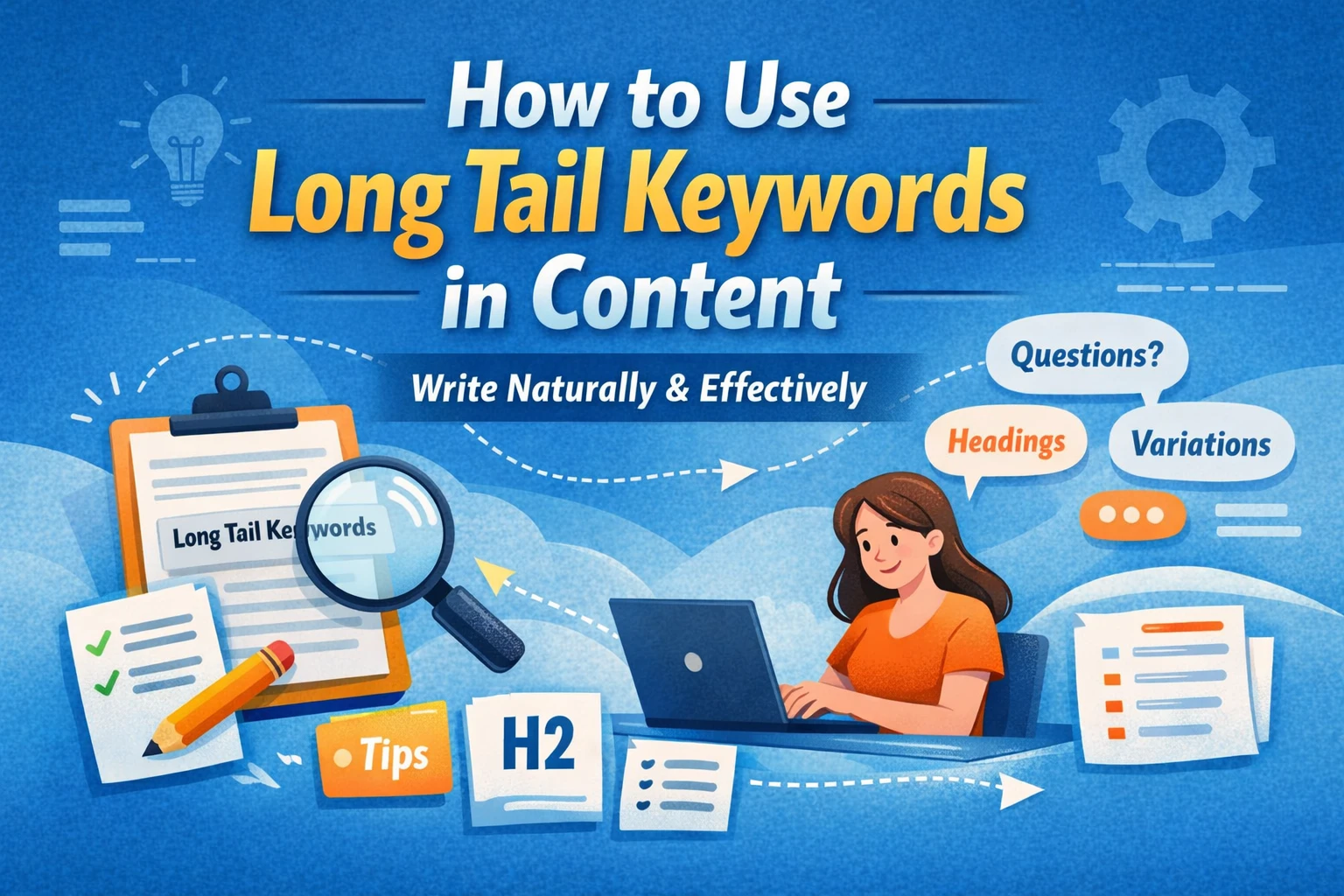
  • 9 Ways to Use Long Tail Keywords in Content Without Making Sentences Sound Unnatural

    9 Ways to Use Long Tail Keywords in Content Without Making Sentences Sound Unnatural

    Many writers struggle when using long search phrases in articles. The problem is simple: long keywords often don’t fit naturally into sentences. When they are forced into the text, the article sounds awkward and difficult to read.

    The solution is not to repeat the full phrase everywhere. Instead, you should place it smartly and adjust the sentence structure so the writing still feels natural.

    Below are practical ways to use long tail keywords in articles while keeping the content smooth and readable.

    1. Use the Keyword as a Heading

    Long phrases often fit best in headings rather than inside normal sentences.

    Example keyword:
    best morning routine for productivity at home

    Example heading:

    Best Morning Routine for Productivity at Home

    Under the heading, you can explain the topic normally without repeating the full phrase again.

    2. Turn the Keyword Into a Question

    Many long phrases are similar to questions people type when searching for answers. Turning them into questions makes them sound natural.

    Example keyword:
    how to wake up early without feeling tired

    Example:

    How can you wake up early without feeling tired?

    This allows you to introduce the topic smoothly.

    3. Break the Keyword Into Natural Parts

    Sometimes the full phrase feels too long for a sentence. In that case, you can split it into smaller parts.

    Keyword example:
    easy daily habits to improve mental health

    Natural sentence:

    There are several daily habits to improve mental health, and most of them are easy to follow.

    The meaning stays the same while the sentence feels natural.

    4. Add Connecting Words

    Adding small connector words can make long phrases blend smoothly into a sentence.

    Keyword example:
    simple ways to stay focused while studying

    Example sentence:

    Let’s explore some simple ways to stay focused while studying, even when distractions are everywhere.

    5. Introduce the Keyword With Context

    Instead of dropping the phrase directly into the sentence, introduce it with a short explanation.

    Keyword example:
    best foods to eat before a workout

    Example:

    Many people ask about the best foods to eat before a workout, especially when they want more energy during exercise.

    This approach makes the phrase feel natural.

    6. Use the Keyword in Lists

    Long phrases can appear naturally in list titles.

    Example keyword:
    healthy snacks for late night studying

    Example:

    Healthy Snacks for Late Night Studying

    1. Greek yogurt with fruit
    2. Nuts and seeds
    3. Peanut butter on whole grain toast
    4. Dark chocolate with almonds

    7. Place the Keyword in the Introduction

    Using the phrase once in the opening paragraph helps introduce the topic clearly.

    Example keyword:
    how to build a daily reading habit

    Example sentence:

    Many people want to learn how to build a daily reading habit, but they struggle to stay consistent.

    8. Use Natural Variations in the Article

    Instead of repeating the same phrase again and again, use slightly different wording.

    Keyword example:
    easy ways to reduce screen time before bed

    Variations:

    • reducing screen time at night
    • limiting phone use before sleep
    • cutting down screen exposure before bedtime

    This keeps the article natural and easier to read.

    9. Use the Keyword in the Conclusion

    Mention the phrase again near the end to reinforce the topic.

    Example keyword:
    how to stay motivated while working from home

    Example sentence:

    Once you apply these tips, learning how to stay motivated while working from home becomes much easier.

    Key Principle

    When learning how to use long tail keywords in content, remember this simple rule:

    • Use the full phrase only where it fits naturally
    • Adjust sentence structure when needed
    • Use variations instead of repeating the same wording

    This approach keeps your article clear, natural, and comfortable to read.

  • 10 Real Online Jobs for Students With No Experience in Pakistan in 2026 – Start Today

    10 Real Online Jobs for Students With No Experience in Pakistan in 2026 – Start Today

    Finding online jobs for students with no experience has become much easier in Pakistan as we move into 2026. With better internet access, growing remote work opportunities, and global freelancing platforms, students can now earn from home without a degree, investment, or prior skills. Whether you live in a big city or a smaller area like Jhelum, opportunities are available if you know where to look.

    This guide is specifically written for students, fresh high-school graduates, and college learners searching for online jobs in Pakistan, with a focus on work-from-home jobs for students with no experience in Jhelum, Pakistan. Let’s explore the best options, how they work, and how you can start today.


    Why Online Jobs Are Perfect for Students in Pakistan

    Online jobs offer flexibility, freedom, and skill development. Students can manage their studies while earning part-time income. Most importantly, many online jobs for students without experience in Pakistan require only basic English, internet access, and consistency.

    Key benefits include:

    • No upfront investment
    • Flexible working hours
    • Learn skills while earning
    • Work from home or remotely
    • Suitable for college and high school graduates

    1. Freelance Content Writing

    Content writing is one of the most popular online part-time jobs for students with no experience in Pakistan. If you can write simple English articles, blogs, or product descriptions, this job is ideal.

    Students in Jhelum, Pakistan, can easily find online jobs with no experience through freelancing platforms.

    Why it’s great:

    • No degree required
    • Improve writing and SEO skills
    • Paid per article or word

    How to start:
    Create sample articles and join freelancing websites.

    2. Data Entry Jobs in Pakistan

    Data entry is among the most searched online jobs for students with no experience in Jhelum, Pakistan. Tasks include typing data, filling spreadsheets, or copying information.

    Best for:
    Students searching for online jobs for students with no experience typing.

    Benefits:

    • Simple tasks
    • No prior skills
    • Flexible workload

    Be cautious and apply only to legit non-voice home-based jobs; no experience required for students in Jhelum, Pakistan.

    3. Online Tutoring

    If you are good at math, science, or English, online tutoring is in high demand. This is one of the best online jobs for students in Pakistan that requires no investment.

    Perfect for:

    • College students
    • High-school graduates
    • Students preparing for exams

    This job also suits those searching for online jobs for high school graduates with no experience in Jhelum, Pakistan.

    4. Virtual Assistant Jobs in Pakistan

    Virtual assistant jobs for students with no experience in Jhelum, Pakistan, are growing rapidly. Tasks may include managing emails, scheduling meetings, or simple research.

    Why students love it:

    • No physical presence needed
    • Remote work flexibility
    • Skill development for future careers

    This is a great remote job for students with no experience in Jhelum, Pakistan.

    5. Social Media Management

    Many small businesses need help managing social media pages. Students who use Facebook, Instagram, or TikTok can earn income from these platforms.

    This is one of the easiest online jobs, work from home, no experience required for students in Jhelum, Pakistan.

    Tasks include:

    • Posting content
    • Replying to comments
    • Growing followers

    6. Online Surveys & Microtasks

    Online surveys and microtask websites offer free jobs for students with no experience. While income is not high, it’s a good starting point.

    Best for beginners asking:
    Are there any online jobs for students?

    Pros:

    • No skills needed
    • No investment
    • Work anytime

    7. Transcription Jobs in Pakistan

    Transcription involves listening to audio and typing text. This is a reliable option for online jobs with no experience or degree.

    Good for:

    • Fast typists
    • Students with good listening skills

    It is also considered one of the high-paying online jobs with no experience once you get up to speed.

    8. Online Chat Support (Non-Voice Jobs in Pakistan)

    Students in Jhelum, Pakistan, searching for legit non-voice home-based jobs with no experience should consider chat support roles.

    Tasks include:

    • Answering customer queries
    • Live chat assistance
    • Email support

    This is a stress-free alternative to call centre jobs.

    9. Selling Digital Products

    Students can sell:

    • Notes
    • Study guides
    • Canva templates
    • Digital planners

    This option suits students in Jhelum, Pakistan, looking for home-based jobs without experience.

    No investment is needed if you create your own products.

    10. AI Tool Operator / Prompt Assistant

    In 2026, AI-related tasks are booming. Students can work as AI prompt assistants or content reviewers.

    This is becoming one of the best online jobs for students in Pakistan with no experience.

    Why it’s future-proof:

    • Learn AI tools
    • No coding required
    • High demand globally

    How to Get an Online Job With No Experience

    Many students ask: How to get an online job with no experience. Follow these steps:

    1. Choose one skill or job type
    2. Learn the basics from free resources
    3. Create a simple profile or portfolio
    4. Apply consistently
    5. Avoid scams and fake offers

    Online Jobs for Students With No Experience Without Investment

    If you are worried about money, don’t be. There are many online jobs for students without investment in Pakistan, such as:

    • Content writing
    • Data entry
    • Online tutoring
    • Virtual assistant roles

    These are also free online jobs for students with no experience.

    FAQs – Online Jobs for Students in Pakistan

    What are the online jobs for students with no experience?

    Content writing, data entry, tutoring, virtual assistant, chat support, and transcription are top choices.

    Are there online jobs for students with no experience in Pakistan?

    Yes, Pakistan has thousands of online jobs with no experience required on local and international platforms.

    Can college students work online part-time?

    Yes, there are many online jobs for college students in Pakistan with no experience that offer flexible hours.

    Are online jobs safe without investment?

    Yes, but only apply to trusted platforms, and avoid offers that ask for upfront fees.

    Can students from Jhelum work online?

    Absolutely. Many online jobs for students with no experience near me are location-independent and perfect for students in Jhelum.

    Final Thoughts

    The demand for online jobs for students with no experience in Pakistan is at an all-time high in 2026. Whether you want work-from-home jobs with no experience for students in Jhelum, Pakistan or remote opportunities nationwide, the options are endless.

    Start small, stay consistent, and focus on learning. Online work not only helps students earn money but also builds skills for long-term success. If you begin today, you can turn a simple online job into a successful career tomorrow.

    Check our career page for the latest job openings.